Before you go: your first manuscript will be a text file
Amazon wants an EPUB, a print interior, a title, a blurb and seven keywords. Your manuscript is a text file. Get all of them in one click per book.
Publisher Pro adds a publishing stage to every book in your account: Kindle eBook, paperback interior, Etsy printable and the full KDP listing kit.
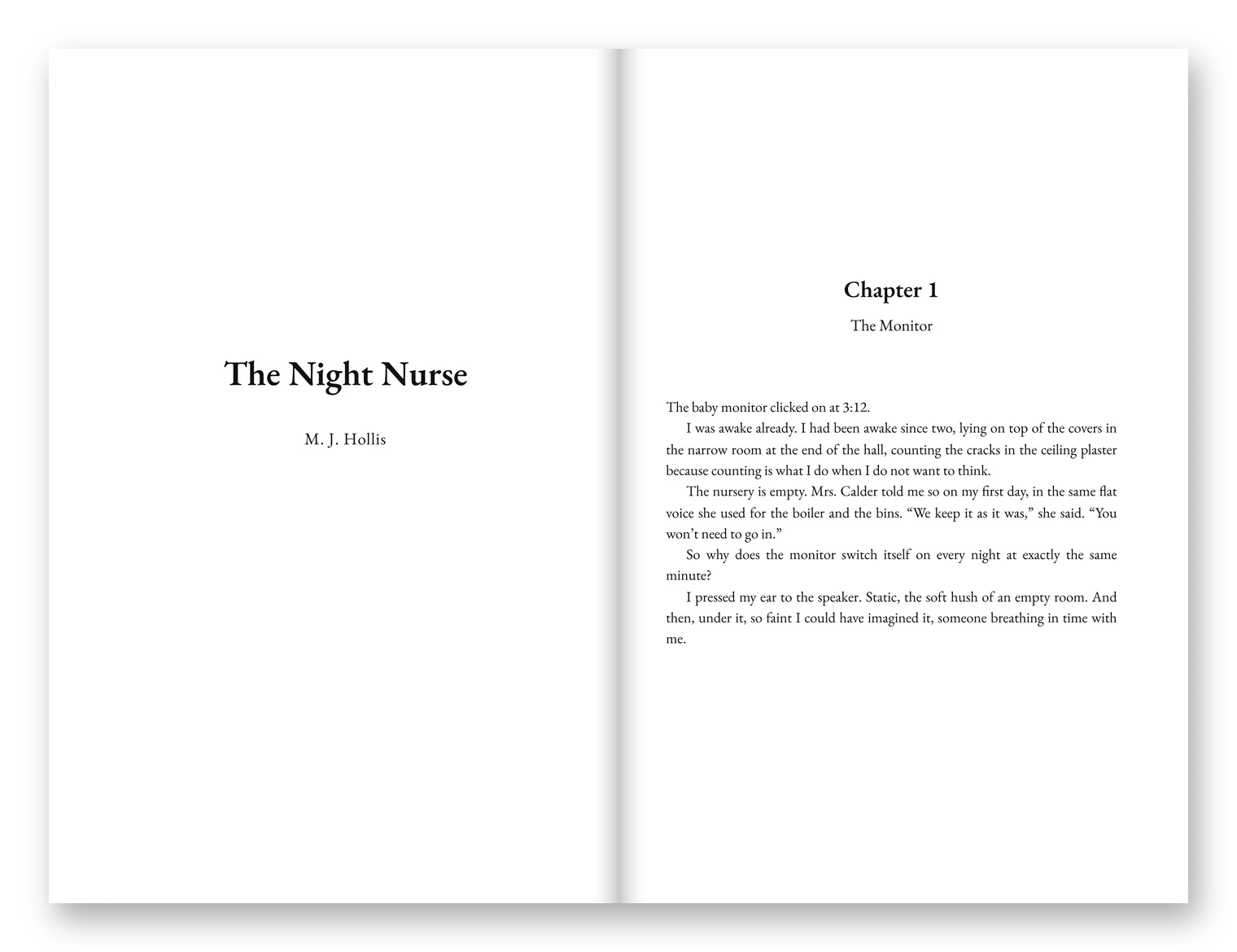
$37 once, added to the account you just bought. No new login.
Yes! Add Publisher Pro for $37One-time payment · unlocks on the account you just boughtNo thanks, skip this upgradeCongratulations on getting ShadowPress.
In a little while you will have your first planned, chapter-by-chapter draft. Before that happens, here is the part nobody tells you about until you are staring at it.
Your draft will be a text file. Amazon KDP will not sell a text file. Neither will Etsy. Between your draft and a listing that can take a sale, there is a whole second job:
- An EPUB for Kindle, with a title page, a clickable table of contents and a copyright page.
- A paperback interior at the exact trim size, with the wider margin on the binding side and every chapter starting on a fresh page.
- A title that fits the shelf, a blurb that sells without spoiling the twist, seven keyword boxes and the right categories.
- A cover brief clear enough that your designer, or your image tool, gets it right the first time.
That is a weekend of fiddly work per book. It is also exactly where most first books stall: the draft is done, and it never gets listed.
You are a seller. You already know that the listing is what sells the product. So we built the publishing stage into the same screen that wrote the book.
Upgrade 1 of 5
Introducing Publisher Pro
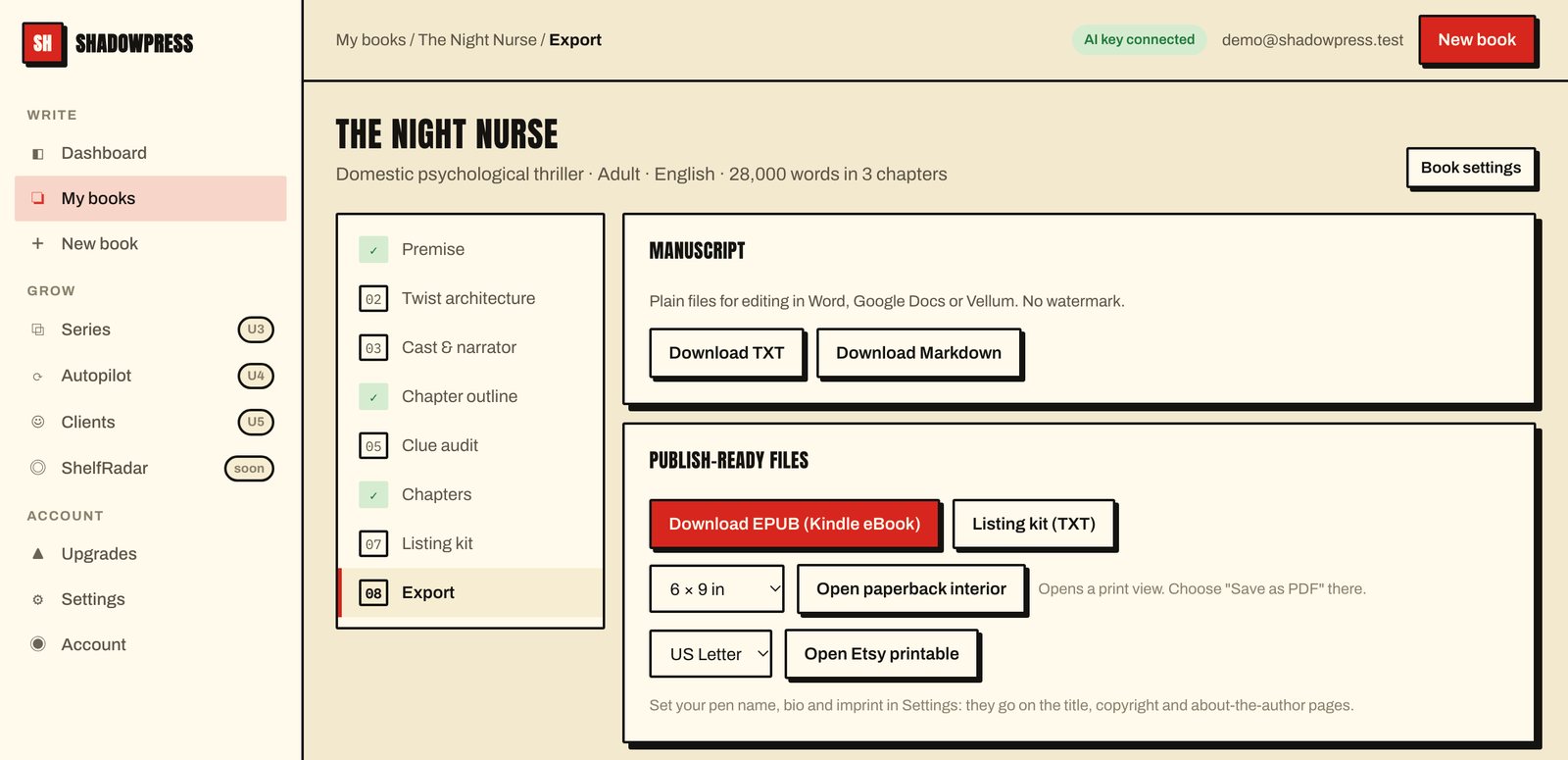
Publisher Pro adds the publishing stage to the same book screen. Press one button for the EPUB, one for the paperback interior, one for the Etsy printable, and one for the full KDP listing kit.
- Finish your draft in ShadowPress the way you already do.
- Open the Export stage. Press "Download EPUB" for Kindle. Pick a trim size and open the paperback interior, then choose "Save as PDF" in the print dialog. Pick Letter or A4 for the Etsy printable.
- Open the Listing kit stage and press Generate. Titles, blurbs, keywords, categories and a cover brief are written from your own premise, twist plan and outline, so they match the book.
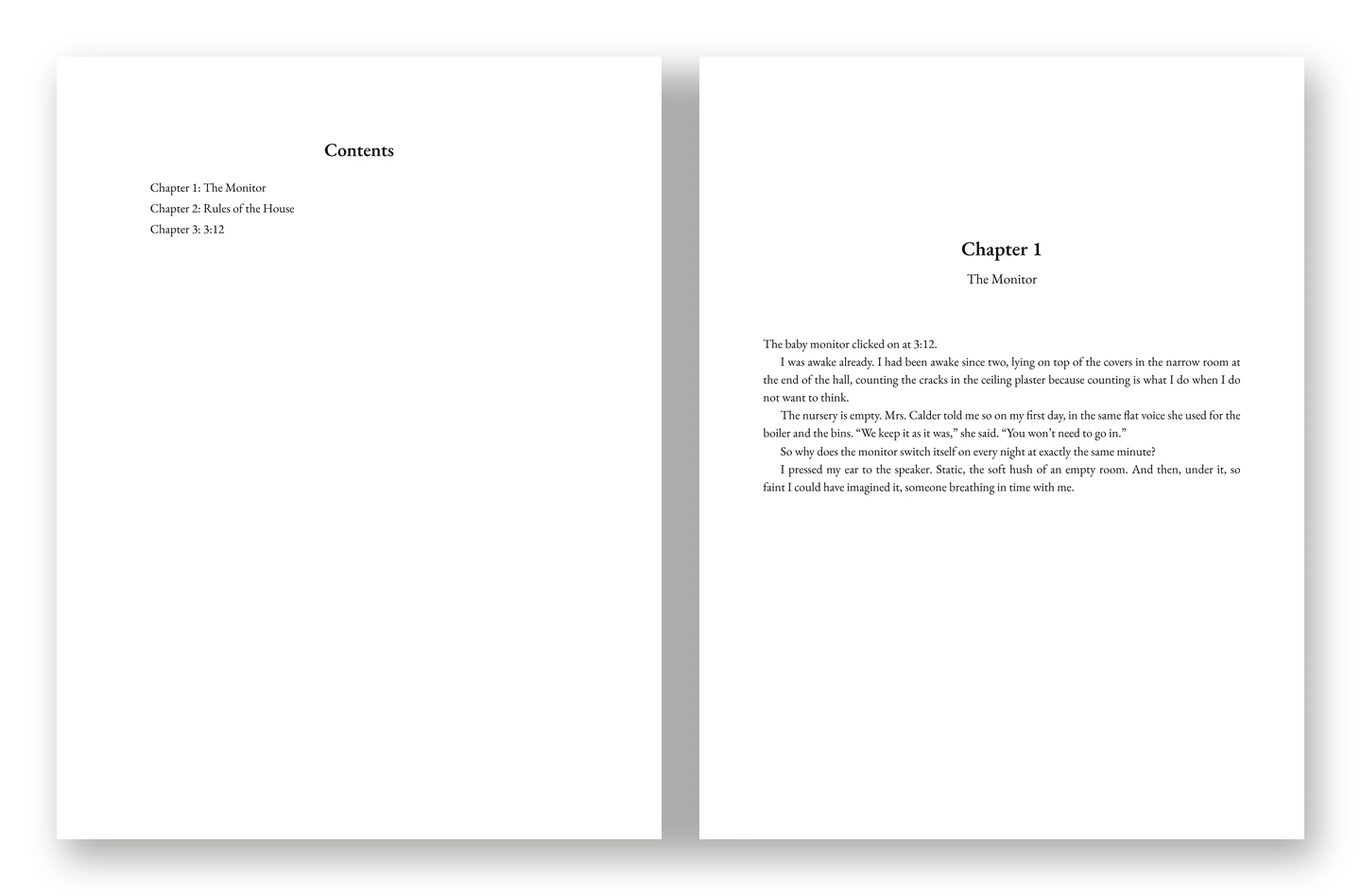
Every book you write from now on, ready to list.
Yes! Add Publisher Pro for $37One-time payment · unlocks on the account you just boughtNo thanks, skip this upgradeWhat you get with Publisher Pro
- Kindle-ready EPUB in EPUB 3 with an NCX for older readers: title page, clickable contents, copyright page, chapter headings, about-the-author page.
- Curly quotes and apostrophes set automatically in English books, so dialogue looks typeset, not typed.
- Paperback interiors in 4 trim sizes: 5 × 8 in, 5.25 × 8 in, 5.5 × 8.5 in, 6 × 9 in, with mirrored margins and each chapter on a new page.
- An Etsy printable on US Letter or A4, with your shop imprint and a personal-use notice.
- Five titles and a subtitle in the short, sharp style the big domestic thrillers use, or the warning-style titles that suit kids' spooky books.
- Three back-cover blurbs built on a tested structure: tagline, the slide, three anomalies, the threat, and never the twist.
- Seven KDP keyword boxes and three categories, plus ad lines in the "if you liked this type of book" format.
- A cover brief and three image prompts, with space left for the title and built to read as a small thumbnail.
- An AI-disclosure reminder in every listing kit, so you answer KDP's and Etsy's questions correctly.
- Works on every book already in your account, and every book you write next.
What it does not do
- The paperback interior opens as a print-ready page. You save it to PDF with your browser's "Save as PDF". There is no separate PDF engine.
- Cover art is not generated. You get a cover brief and three prompts to paste into the image tool you already use.
- It does not upload to KDP or Etsy for you. You still click Publish yourself.
- Always preview your files before publishing: the EPUB in Kindle Previewer, the PDF in KDP's print previewer. That is good practice for any file, from any tool.
Skip it if you already own a formatting tool you are happy with and write your own listing copy. ShadowPress works fully without this upgrade, and you can add it later from the Upgrades page inside the app.
Everything in Publisher Pro
The values below are our own estimates of what each part would be worth on its own, with the reasoning beside each one. They are not a former price, and nothing has ever been sold at that total.
Title page, clickable table of contents, copyright page, chapter headings, about-the-author page and typographic curly quotes, in the EPUB 3 format KDP accepts.
Why we value it at $97: it replaces formatting each eBook by hand, or paying someone to do it, for every book you publish.
5 × 8 in, 5.25 × 8 in, 5.5 × 8.5 in, 6 × 9 in. Mirrored margins with the wider margin on the binding side, every chapter on a new page, saved to PDF from your browser.
Why we value it at $97: print layout is the step most new publishers find hardest, and it repeats for every book.
US Letter or A4, with your shop imprint and a personal-use notice on the copyright page.
Why we value it at $47: it turns the same manuscript into a second product for a second marketplace.
Five titles and a subtitle, three back-cover blurbs that never reveal the twist, seven keyword boxes, three category suggestions and an AI-disclosure reminder.
Why we value it at $97: listing copy is a paid copywriting job when you buy it per book.
Mood, palette, focal object and typography direction, plus three prompts for the image tool you already use, sized for thumbnails.
Why we value it at $37: a clear brief saves rounds of back-and-forth with any designer or image tool.
Pen name, bio and imprint flow onto the title, copyright and about-the-author pages of every export.
Why we value it at $27: no retyping front and back matter for each book.
An estimate to show what is included, not a price anyone has paid.
About 11 times less than our estimate of the parts.
Add all 6 parts for $37, once. They appear on every book in your account straight away.
Yes! Add Publisher Pro for $37One-time payment · unlocks on the account you just boughtNo thanks, skip this upgradeOne-time payment of USD $37, plus any VAT or sales tax your country requires, shown at checkout before you pay. No subscription. Delivered by email within minutes. 30-day refund policy if it does not work as described. By purchasing you agree to the Terms, Privacy Policy and Refund Policy, and request immediate access to the digital product.
The same 30-day "works as described" policy
If Publisher Pro does not do what this page says, email us within 30 days. We try to fix it first; if we cannot, we refund this upgrade in full. Your ShadowPress account keeps working either way. Full text on the refund page.
Questions
Does the EPUB pass Kindle?
It is a standard EPUB 3 file with a table of contents and NCX, which is the format KDP asks for. Always preview it in Kindle Previewer before publishing, as you would any file.
Which trim sizes?
5 × 8 in, 5.25 × 8 in, 5.5 × 8.5 in, 6 × 9 in. Margins are mirrored, with the wider margin on the binding side.
Can I use it on books I already wrote with ShadowPress?
Yes. The export and listing stages appear on every book in your account the moment you upgrade.
Is the paperback PDF made inside the app?
The app lays out the interior at your trim size and opens it as a print view. You press "Save as PDF" in your browser's print dialog, choose the paper size shown on screen and turn off headers and footers. We tested this with Chrome: it produces a PDF at exactly the trim size, for example 6 × 9 in.
Does it make the cover?
No. It writes a cover brief and three prompts for the image tool or designer you already use. You also need KDP's own cover template for a paperback's spine and back.
Does it work for languages other than English?
Yes, exports work for every language your plan unlocks. Curly quotes are set automatically for English; other languages keep the quotation marks the text was written with.
Can I buy this later?
Yes, from the Upgrades page inside the app. The price may differ from this page.
Your draft deserves to be listed
You can finish your first book and then spend a weekend learning EPUB structure, trim sizes, margins and keyword boxes. Or you can press four buttons and spend that weekend writing the next one.
Add the publishing stage to every book you write.
Yes! Add Publisher Pro for $37One-time payment · unlocks on the account you just boughtNo thanks, skip this upgradeP.S. Publisher Pro is also the upgrade that makes the later ones pay off: box-set EPUBs from Series Engine and listing kits for every Autopilot book both use it.
Results disclaimer. Publisher Pro produces files and listing copy; it does not publish for you and cannot promise sales, rankings or income. Screens and page images on this page are real exports from the app; the chapter text in them is sample text written to show the layout. See our Disclaimers.
Affiliate disclosure. Some people who link to ShadowPress earn a commission on purchases, including this upgrade.